Apple Health Integration for Weight Loss: A Setup Guide
Apple Health Integration for Weight Loss: A Setup Guide

Apple Health works best for weight loss as the place where your weight, activity, sleep and nutrition data meet, so you see one picture instead of five apps. It does not track food on its own, and it does not tell you what to do with the numbers. This guide shows how to connect each data source, how to stop the usual sync errors, and how to read the trends. It also covers where a clinician-led GLP-1 program like ours fits once your data is flowing.
Glpcareglpcare.orgConnect Your Weight Data to CareGLPCare combines GLP-1 therapy, personalized nutrition coaching, and wearable health insights with continuous clinician support for weight management.VisitTL;DR
- Apple Health stores data from your iPhone, Apple Watch, connected scales and compatible apps. You can also add weight by hand in a few taps.
- Food and calorie logging comes from a nutrition app that writes to Health. Health itself is the hub, not the food diary.
- Duplicate or conflicting numbers usually come from source priority. You can reorder sources in Health at any time.
- Trends matter more than any single reading. Look at weeks, not days.
- If you use or are considering GLP-1 medication, a program with clinician oversight and a tracker built around dose, sleep and activity gives the data a purpose. Our plans start at $199 per year for the membership.
Table of Contents
- What Apple Health can do for weight management
- Step 1: Get your weight into Health
- Step 2: Bring in food and calories
- Step 3: Add activity and sleep
- Step 4: Control what each app can read and write
- Step 5: Fix duplicates and conflicting numbers
- Step 6: Read the trends, not the days
- Where GLP-1 care fits in
- Promo: one connected program instead of five apps
- Perspective
- A simple weekly routine
- FAQ
- Sources
What Apple Health can do for weight management
The Health app securely stores health information from your iPhone, iPad and Apple Watch, plus compatible third-party apps and connected devices. For weight loss, that means four useful streams:
- Body measurements. Weight is the obvious one. You can enter body measurements yourself or let a paired scale send them.
- Activity. Your iPhone automatically records steps, flights of stairs and walking data. With an Apple Watch you add heart rate and workouts.
- Sleep. If you set a sleep schedule, the iPhone stores estimated sleep periods.
- Nutrition. Calories, protein and other nutrients arrive from a food-logging app you choose.
Two details matter for calorie math. Apple Watch uses the personal information you enter in Health Details to estimate how many calories you burn, so an outdated height or weight skews that estimate. Fix those details first. And because Health only holds what other sources write to it, a gap in your data almost always means a missing connection, not a missing feature.
Step 1: Get your weight into Health
There are two routes: type it in, or let a device send it.
Entering weight by hand
Apple’s own steps: open Health, tap Browse, choose a category and subcategory, tap Add Data, enter the date, time and value, then tap Done. For weight, that is Body Measurements, then Weight.
This takes ten seconds and works for everyone. It also answers a common question: yes, you can track weight on an Apple Watch’s data in the sense that the Health app on your iPhone stores it and the Watch’s calorie estimates use it, but the entry itself happens in Health or comes from a scale, not from the wrist.
Where it goes wrong: inconsistent timing. A weigh-in after dinner and one before breakfast differ by pounds of water and food. Pick one time, such as the morning after using the bathroom and before eating, and use it every time.
Syncing a smart scale
For a connected scale, Apple says to follow the device’s setup instructions, and Bluetooth devices must be paired with your iPhone. Each maker’s app then asks for permission to write to Health. As an example, on one popular budget scale you tap the scale in the app, open Scale Settings, choose Authorize 3rd-Party Apps, then Apple Health, and tap Authorize. After that, measurements sync automatically.
The pattern is the same for any scale: pair it, authorize the Health connection inside the scale’s own app, then step on it and check that the number appears in Health under Body Measurements.

Step 2: Bring in food and calories
Apple Health does not log meals. It stores nutrition data that a separate nutrition app sends it. So the setup is: choose one food-logging app, enable its Apple Health connection, and allow it to write dietary energy, protein, carbohydrates, fat and water.
A few habits make this work:
- Use one nutrition app. Two apps writing meals to Health means every meal is counted twice.
- Expect sync to start from the day you connect. Most apps do not back-fill older entries, so connect before you begin tracking, not a month in.
- Check one meal. Log a snack, open Health, and confirm it appears under Nutrition.
- Know what a kitchen scale cannot do. A kitchen food scale generally cannot send weights to Health directly. The food app does the writing, so weigh the food, then log the portion in the app.
Protein deserves attention if you are using GLP-1 medication, because appetite drops and it is easy to under-eat. That is where nutrition coaching, not just a log, makes the difference. More on that below.
Step 3: Add activity and sleep
Your iPhone counts steps and walking distance without any setup. Add an Apple Watch and Health automatically tracks activity, heart rate and mindfulness data. That covers most of what a weight-loss routine needs: daily movement, workouts and resting heart rate over time.
For sleep, set a sleep schedule in Health. Without one, the iPhone has little to estimate from. Sleep matters for weight because it influences hunger and recovery, and a sudden drop in sleep hours is worth noticing in the same weekly view as your weight.
A word on calorie burn. Watches and rings do not measure it directly. They estimate it from heart rate, movement and the profile you entered. Treat the burn figure as a rough guide, and judge your progress by what your weight does over several weeks.
Step 4: Control what each app can read and write
Every connection is a permission you can change. Apple’s path: open Health, tap your profile, choose Privacy, then Apps, pick an app and enable the categories you want it to track. Apps on the Watch are managed under Settings, Health, Apps on the watch.
A sensible starting setup:
| Data | Best source | Permission to grant |
|---|---|---|
| Weight | Scale app or manual entry | Write weight to Health |
| Food and water | One nutrition app | Write nutrition to Health |
| Steps and workouts | iPhone and Apple Watch | Built in |
| Sleep | iPhone sleep schedule or Watch | Built in |
| Medication notes | Your care program’s app | Per program |
Privacy is part of the decision. According to the App Store listing, when your phone is locked with a passcode, all Health data other than Medical ID is encrypted, and iCloud syncs it encrypted. Grant each app only the categories it needs. If you share a phone, remember that apps may not separate multiple people’s accounts, so keep one person’s data per device where you can.
Step 5: Fix duplicates and conflicting numbers
The most common complaint after setup is two different weights or doubled steps. Health decides which number to show using a priority order. Apple states the default: manually entered data first, then data from your iPhone, iPad or Apple Watch, then data from apps and Bluetooth devices. A newly added source appears above all other apps and devices, and you can reorder sources at any time.
In practice:
- Two weights for the same morning. A manual entry will outrank your scale. If you type a number and also weigh in on the scale, you are creating the conflict. Pick one method.
- Doubled steps or calories. This happens when two devices record the same walk. Open Browse, choose the category, then Data Sources and Access, and drag the device you trust most to the top.
- Missing data. Check that the app still has permission under Privacy, Apps, and that it opens in the background now and then.
There is a bigger question behind conflicting numbers: which measurement is the right one? Scale weight, body fat from a bioimpedance scale and a clinical scan can all disagree, and that is normal because they measure different things. If you want to understand why, DEXA scan accuracy and what patients should know explains how body composition measurements vary. The practical rule is to compare each source with itself over time rather than against another device.
Step 6: Read the trends, not the days
Health shows trend analysis that tells you whether a metric is increasing or decreasing over time. Use that view, and use these habits:
- Look at two to four weeks. Daily weight swings with water, salt, hormones and digestion.
- Pair weight with activity and sleep. A flat week after a bad sleep week tells a different story than a flat week with normal sleep.
- Watch resting heart rate and steps for direction. They show whether your routine is holding.
- Write down what changed. A new medication dose, a travel week or a training block explains a lot of movement.
This is where Apple Health reaches its limit. It stores and charts. It does not know your medication schedule, flag that your protein is low, or tell you whether a plateau is normal. Someone, or something, has to interpret the data against your plan.
For a deeper look at which wearable metrics deserve your attention, see our guide to what to track and trust in wearable data.
Where GLP-1 care fits in
If you are already tracking carefully and still not getting where you want to be, the missing piece is often medical support rather than more data. GLP-1 medications such as semaglutide and tirzepatide are prescription treatments, so they require a clinician’s assessment. You can check your fit with the GLP-1 readiness quiz before you commit to anything.
The combination that tends to frustrate people is medication with no structure around it: no one watching dose and side effects, no plan for protein, no view of how sleep and activity respond. That is the gap we built our system to close. Our guide to how a GLP-1 tracker app works shows what logging dose and symptoms looks like in practice, and our overview of telehealth weight loss programs explains how the pieces connect.
Promo: one connected program instead of five apps
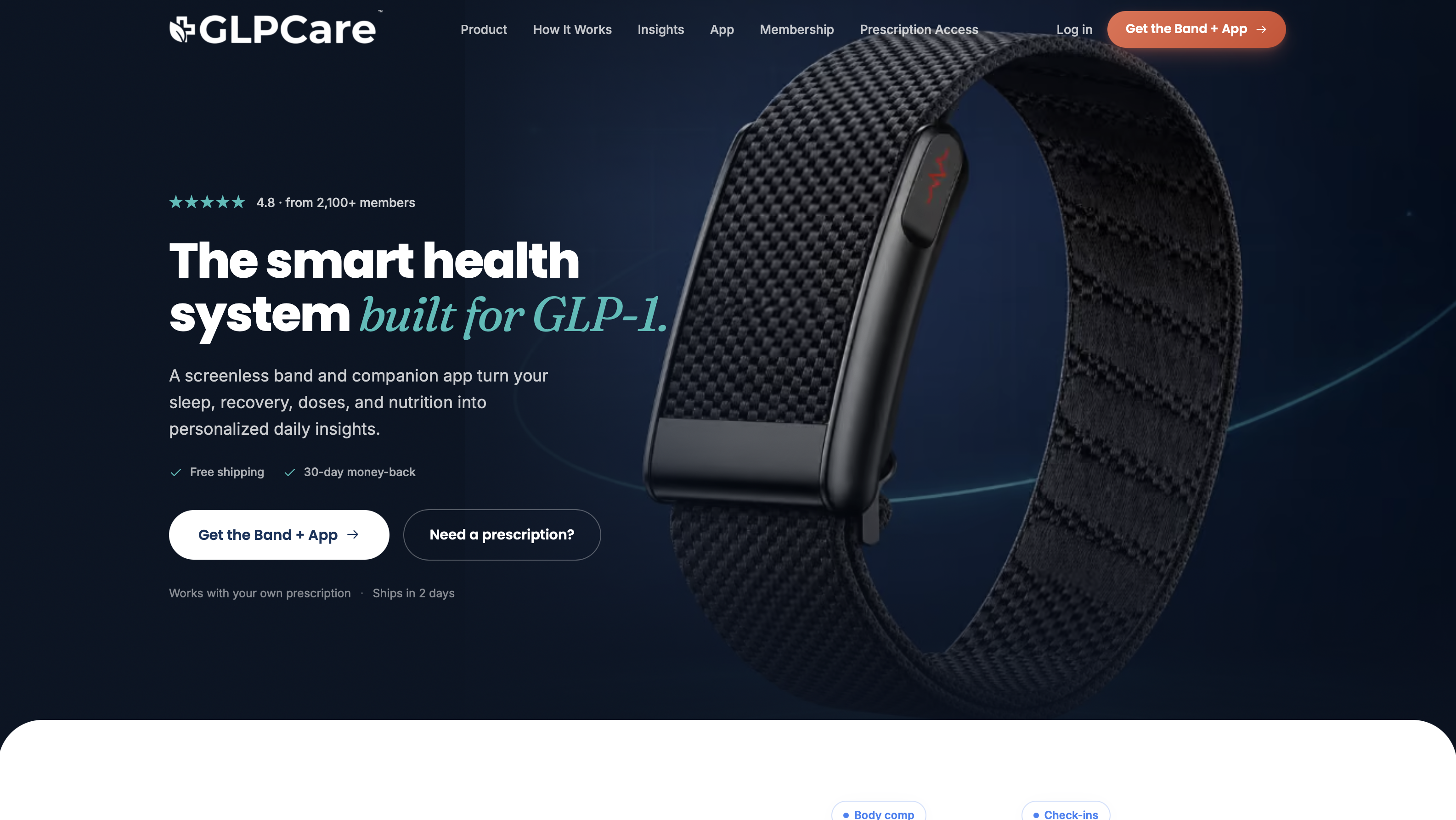
GLPCare brings together what this guide had you assemble by hand: prescription GLP-1 medication shipped to your home, personalized nutrition coaching, clinician support, an AI-driven app for dose tracking and personalized insights, and a screenless fitness band with medical-grade sensors that tracks sleep, heart rate and activity. Our approach is designed to help you lose weight while minimizing muscle loss.
Plans are available whether or not you already have a GLP-1 prescription:
- GLPCare Membership: $199 per year.
- Semaglutide Care: from $209 per month.
- Tirzepatide Care: from $299 per month.
See the full GLPCare membership or compare the semaglutide and tirzepatide options. Medication is prescribed only after clinician review.
Perspective
Most people who come to us have already tried to be their own data analyst. They have a scale in one app, food in another, steps in a third, and a note about their injection day somewhere else. Having the data is not the problem. Knowing what it means is.
We built GLPCare around a simple idea: weight management on GLP-1 therapy works best when medication, nutrition and daily signals are looked at together, with licensed clinicians overseeing the medication. A screenless band keeps the focus on how you sleep, recover and move, rather than on a screen competing for your attention. Dose and diet go into the app, and the insights come back as specific next steps, not another chart.
If you are going to invest effort in tracking, make sure someone is reading it with you. That is the difference between a log and a program.
Dominique
A simple weekly routine
Whatever tools you pick, a short routine keeps the data useful:
- Daily, 1 minute: weigh in at the same time, and log meals as you eat them.
- Weekly, 5 minutes: open Health, view the four-week trend for weight, steps and sleep, and note what changed.
- Monthly, 10 minutes: review permissions under Privacy, Apps, update Health Details if your weight has moved a lot, and reorder data sources if anything looks doubled.
Busy schedules are the real enemy of consistency, so automate whatever you can. Scales and watches that sync on their own remove the manual steps. Our overview of holistic weight management with GLP-1 care shows how these habits fit around treatment.
FAQ
Can you track weight on an Apple Watch?
The Watch uses your weight and other profile details to estimate calorie burn, but you enter or sync weight through the Health app on your iPhone or from a connected scale. Once it is there, the number is available across your devices, and Apple says this information can be shared with other apps and stays up to date across your devices.
Does Apple Health count calories for me?
It records activity energy from your iPhone and Watch, but it does not log food itself. You need a nutrition app that writes meals to Health. Connect only one, so meals are not counted twice.
Why does Apple Health show the wrong weight?
Usually it is source priority. Manually entered data ranks above device data, and a newly added source goes to the top. Open the weight data, review Data Sources and Access, and reorder the sources so the one you trust leads.
Is my Health data private?
Apple states that with a passcode set, Health data other than Medical ID is encrypted on a locked phone. You also choose which apps can read or write each category under Privacy, Apps. Review those permissions from time to time.
Can I use GLP-1 medication and track it in the same place?
Health is built for measurements, not prescriptions. Our app is where dose and diet are logged alongside the band’s sleep, heart rate and activity data, with clinician support behind it. Start with the GLP-1 readiness quiz to see whether you qualify.
Sources
- Intro to Health data on iPhone, Apple Support
- Use the Health app on your iPhone or iPad, Apple Support
- Manage Health data on your iPhone, iPad, or Apple Watch, Apple Support
- How do I sync the Wyze app with Apple Health?
- Apple Health app, App Store listing