GLP-1 Tracker App: What Telehealth Clients Need to Know
GLP-1 Tracker App: What Telehealth Clients Need to Know
TL;DR:
- An integrated system combining a tracking app, biometric wearable, and clinician access improves GLP-1 therapy management. Such platforms enable automatic biometric updates, real treatment decisions, and continuous monitoring to preserve muscle mass during weight loss. Most apps are freemium, with premium features like exportable reports and pharmacokinetic insights supporting better clinical outcomes.
For GLP-1 clients in a telehealth program, the best setup is an integrated system combining a dedicated tracking app, a wearable for automatic biometric sync, and direct clinician access. Standalone apps can log doses, but they leave a gap between your data and the person who can act on it. Glpcare closes that gap by connecting your AI tracking app, a screenless fitness band, and licensed clinicians in one place.
Three reasons this matters more than any single feature:
- Automatic biometric sync pulls heart rate, sleep, and activity data without manual entry, which is the single biggest predictor of whether you keep logging at all.
- Clinician access turns your logged trends into real treatment decisions, not just charts you review alone.
- Device-level monitoring gives your care team the data needed to protect lean mass during rapid weight loss, a priority that standalone trackers simply cannot address on their own.
All health data in a HIPAA-compliant system stays protected. Apps are informational tools, not clinical advice or prescription management. Your clinician remains the decision-maker.
Table of Contents
- What does a GLP-1 tracker app actually do?
- Which features should you look for in a GLP-1 tracker app?
- How do you set up a GLP-1 tracker app with minimal tracking fatigue?
- What data should you sync, and how do clinicians use it?
- What GLP-1 tracker apps do not do, and why that matters
- How do GLP-1 tracker apps price their features?
- Why integrated systems produce better outcomes for GLP-1 clients
- Common questions and troubleshooting tips
- How do top GLP-1 tracker apps compare?
- Key Takeaways
- What actually determines whether you’ll stick with a tracker
- Glpcare brings app, wearable, and clinical care together
- FAQ
What does a GLP-1 tracker app actually do?
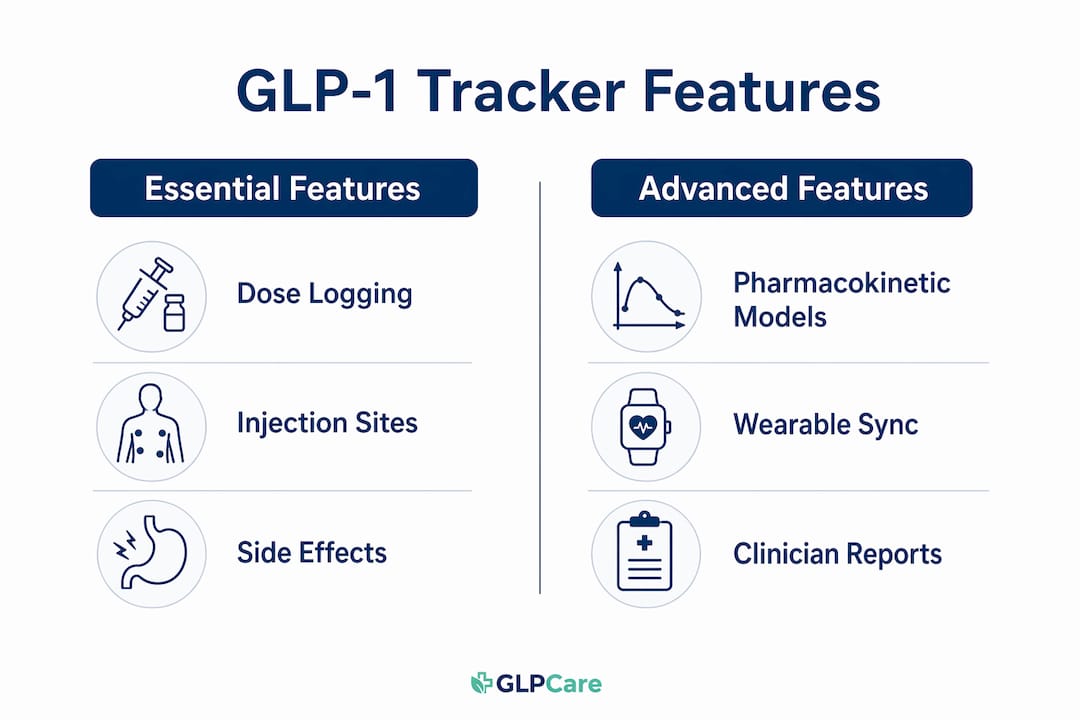
A GLP-1 medication tracker is a companion tool, not a clinical platform. It records what you do between appointments so your clinician has organized, longitudinal data to work with. The core functions are:
- Dose logging: date, time, amount, and medication name (semaglutide, tirzepatide, and others)
- Injection-site rotation: tracks which site you used last to reduce the risk of lipohypertrophy from repeated injections in the same spot
- Side-effect logging: records nausea, fatigue, or other symptoms tied to specific days in your dosing cycle
- Weight and vitals charts: visualizes progress over weeks, not just day-to-day fluctuations
One feature worth understanding is pharmacokinetic visualization. Weekly GLP-1 medications build up over two to three days, peak, then taper before your next dose. Seeing that curve helps you understand why side effects cluster on certain days and why appetite shifts mid-week.
Dedicated GLP-1 trackers differ from diabetes-focused platforms like mySugr or Glooko, which are built around CGM integration, Time in Range metrics, and clinical-grade glucose reporting. If your primary goal is managing weekly injection cycles and weight-related progress, a GLP-1 companion app fits better. If you also use a CGM, keep your clinician informed about how you’re combining data from both.
Which features should you look for in a GLP-1 tracker app?
Must-haves:
- Dose logging with date, time, and amount
- Injection-site rotation tracking with reminders
- Side-effect logging tied to dose timing
- Weight and progress charts
- Data export in PDF or CSV for clinician review
- Apple Health or Google Fit sync
- Clear HIPAA or data-security statement
Nice-to-haves:
- Pharmacokinetic estimated medication levels
- Automated dose reminders
- Photo or voice-based meal logging
- Body-composition estimates
- Lab result import
- In-app clinical messaging
Usability matters as much as the feature list. Low-friction logging, such as voice input, photo capture, and quick-tap dose shortcuts, keeps you consistent over months, not just weeks.
Pro Tip: Prioritize features that reduce manual work, like Apple Health sync and single-tap dose logging, over analytics dashboards you won’t open daily. Consistency beats completeness.
How do you set up a GLP-1 tracker app with minimal tracking fatigue?
- Pick your primary app. If your clinician uses Glpcare, start there. Otherwise, choose an app that exports clinician-ready PDFs or CSVs. Your data is only useful if your care team can read it.
- Connect your wearable and Apple Health or Google Fit. Automatic biometric sync removes the manual burden of logging heart rate, sleep, and activity. Users who enable this sustain logging significantly longer than those who enter data by hand.
- Set up dose templates. Configure your medication name, dose amount, and a single-tap injection log. Set a gentle reminder tied to your prescribed weekly cadence, not a daily alarm that becomes background noise.
- Enable clinician exports. Set up 7–30 day summaries that highlight dose changes, side-effect trends, and biometric shifts before each appointment. Most premium tiers include this; it’s worth paying for.
- Build a weekly review ritual. Spend five to ten minutes each week reviewing your logs and adding a brief note on patterns. This is what turns raw data into a useful clinical conversation.
Apps are patient-led research tools that prepare you for appointments, not platforms that replace your clinician’s judgment.
Pro Tip: Use photo or voice logging for meals and side effects when the option exists. Consistency over granularity is what prevents abandonment.

What data should you sync, and how do clinicians use it?
| Data Type | Source | Export Format | Sharing Frequency |
|---|---|---|---|
| Weight | Wearable / manual | PDF summary, CSV | Weekly or pre-visit |
| Heart rate & HRV | Wearable (automatic) | PDF summary | Pre-visit |
| Sleep duration | Wearable (automatic) | PDF summary | Pre-visit |
| Activity / steps | Wearable / Apple Health | CSV or PDF | Weekly |
| Dose timestamps | Manual log | CSV, PDF | Every appointment |
| Side effects | Manual log | PDF summary | Every appointment |
Weight trends confirm fat loss versus lean mass changes. Heart rate and sleep data help your clinician assess recovery and medication tolerance. Dose timestamps are the backbone of any titration conversation. Exportable clinician reports in PDF or CSV format reduce friction at telehealth visits and give your care team the context to make confident dose decisions.
Pro Tip: Set up an automated pre-visit export that flags dose changes alongside correlated biometric shifts. It saves your clinician time and makes the appointment more productive.
What GLP-1 tracker apps do not do, and why that matters
Apps are informational tools. They do not replace clinical advice, manage your prescription, or make dosing decisions. That boundary is intentional and important.
When evaluating any app for privacy, look for:
- A clear HIPAA compliance statement
- AES-256 or equivalent encryption for stored and transmitted data
- A transparent data-sharing and export policy
For safety, your clinician needs accurate dose timestamps, clear notes on any missed doses or titration changes, and honest side-effect severity entries. Vague or incomplete logs make titration decisions harder, not easier.
If you combine CGM data with your GLP-1 tracker, tell your clinician how the data is being merged. Two separate data streams without context can create confusion rather than clarity.
How do GLP-1 tracker apps price their features?
Most apps follow a freemium model. Core tracking, weight logging, and Apple Health sync are typically free. Premium tiers unlock the features that matter most for clinical integration.
Worth paying for:
- Exportable clinician reports (PDF and CSV)
- Pharmacokinetic medication level visualizations
- Unlimited logging history
- Lab result import
- AI-driven pattern insights
The pricing logic is straightforward: pay for premium when it reduces friction for your clinician or meaningfully cuts your manual logging burden. If a feature saves you time at appointments or helps your care team make faster decisions, it earns its cost.
Pro Tip: Test the free tier for two to four weeks with Apple Health sync enabled before committing to a subscription. If you’re not logging consistently on the free version, a paid plan won’t fix that.
Why integrated systems produce better outcomes for GLP-1 clients
Standalone trackers generate data. Integrated systems make that data useful. The difference is whether a clinician can act on what you’ve logged before your next scheduled visit.
Connected care, where logged data flows directly to a clinical team with the authority to adjust your plan, closes the gap between what you track and what actually changes in your treatment. Integrated platforms that combine data logging with clinician access demonstrate better real-time care capability than standalone trackers.
Glpcare’s model is built on this principle. The GLPCare wearable band captures heart rate, sleep, and activity automatically. The AI companion surfaces patterns and flags shifts worth discussing. Licensed clinicians review your data and can adjust your plan between appointments, not just at them. For clients focused on preventing muscle loss during rapid weight loss, that continuous loop matters.
Benefits of the integrated model:
- Fewer data gaps between appointments
- Faster titration decisions based on real biometric trends
- Better adherence when clinicians can respond between visits
- Muscle-preserving guidance informed by activity and recovery data
Telehealth programs that combine connected data with clinical access consistently outperform standalone tracking for chronic condition management.
Common questions and troubleshooting tips
My app isn’t syncing with Apple Health. Check that the app has permission to read and write data in your iPhone’s Health settings. Re-enabling permissions and restarting the app resolves most sync failures.
I keep forgetting to log my dose. Move your reminder to the exact time you inject, not a general morning alarm. Pairing the log tap with the physical act of injecting makes it automatic.
My weight fluctuates wildly day to day. Daily weight can shift by small amounts from water retention, sodium, and hormones. Look at weekly averages in your progress chart, not individual readings.
My clinician can’t open my export file. Most clinicians prefer PDF summaries over raw CSV. Check your app’s export settings and switch to PDF if available.
I’m not sure which side effects to log. Log anything that feels different from your baseline: nausea, fatigue, appetite changes, injection-site reactions. Severity and timing relative to your dose day are the two details your clinician needs most.
How do top GLP-1 tracker apps compare?
The GLP-1 tracker app category has grown quickly. Most dedicated apps support semaglutide and tirzepatide, offer free core tracking, and charge for clinical exports or advanced analytics. Key differences show up in three areas: how well they handle pharmacokinetic visualization, whether they export clinician-ready reports, and how tightly they integrate with wearables or Apple Health.
Apps that offer pharmacokinetic modeling based on FDA clinical review data give you a more accurate picture of your medication cycle than apps that simply log dose dates. That visualization is consistently rated as one of the most useful features by people managing weekly injections.
For telehealth clients who already have wearable biometric tracking, the gap between standalone apps and an integrated system like Glpcare is significant. Standalone apps require you to manually bridge your wearable data, your dose log, and your clinician’s workflow. Glpcare connects all three by design, which is why it’s the recommended starting point for clients in a supported program.
Key Takeaways
An integrated GLP-1 tracker app paired with a wearable and direct clinician access produces better outcomes than any standalone tracker because it turns logged data into treatment decisions, not just personal records.
| Point | Details |
|---|---|
| Choose integrated over standalone | An app plus wearable plus clinician access closes the gap between tracking and treatment. |
| Prioritize low-friction logging | Apple Health sync and single-tap dose logging sustain consistency over months. |
| Export before every appointment | A 7–30 day PDF or CSV summary of doses, side effects, and biometrics makes clinical visits more productive. |
| Pay for clinical export features | Premium tiers that unlock exportable reports and pharmacokinetic visualizations are worth the cost. |
| Glpcare for telehealth clients | Glpcare bundles AI tracking, a wearable band, and licensed clinician support in one connected system. |
What actually determines whether you’ll stick with a tracker
The most common mistake is choosing the most feature-rich app instead of the most sustainable one. A tracker you use imperfectly for twelve months produces far more useful clinical data than a sophisticated one you abandon after six weeks.
Start with the lowest-friction option your clinician will accept. For most telehealth clients, that means an app with automatic wearable sync and a single-tap dose log. Add features only when a gap in your data becomes clinically relevant, not because a premium tier looks impressive.
Match your logging approach to how you actually behave. If you prefer minimal daily interaction, lean on automatic sync and let your wearable do the heavy lifting. If you like control and detail, template-driven manual logging gives you that without requiring it of everyone. Neither approach is wrong; the wrong approach is the one you stop doing.
Plan to reassess at three-month intervals. Pull your exported trend report, review it with your clinician, and decide whether your current setup is producing the data that’s actually driving your care decisions. If it is, stay the course. If your clinician keeps asking for data you’re not capturing, that’s the signal to upgrade your workflow.
Glpcare brings app, wearable, and clinical care together
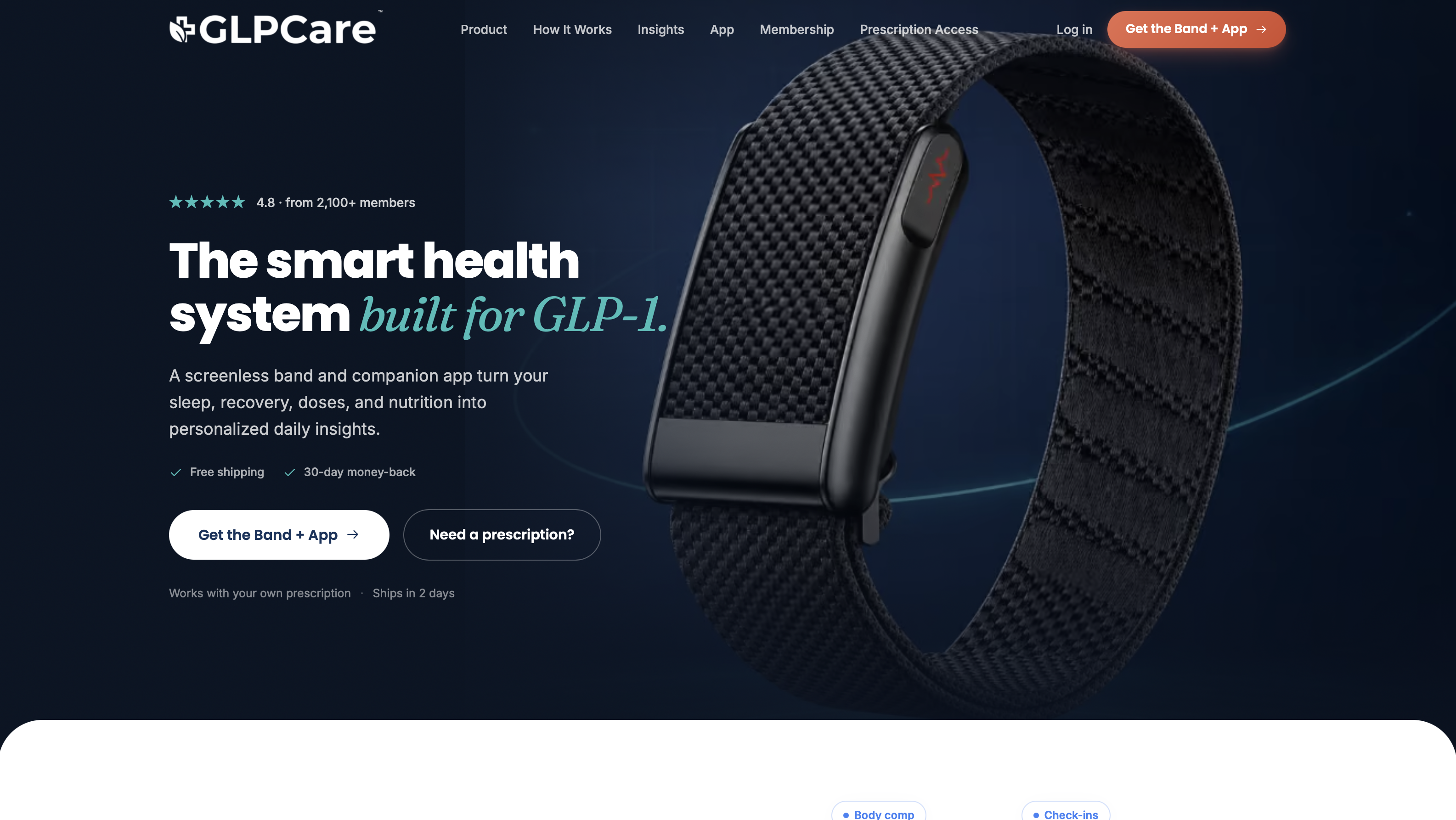
Most GLP-1 tracker apps give you a log. Glpcare gives you a connected care system. The GLPCare app captures your doses, syncs biometrics from the screenless fitness band, and surfaces AI-driven insights your clinician can act on between visits. Medication options including semaglutide and tirzepatide can be shipped to your home, and personalized nutrition coaching plus muscle-preserving guidance come built into the program.
Whether you have an existing GLP-1 prescription or are starting fresh, Glpcare has a plan for you. Take the GLP-1 Readiness Quiz to see which plan fits your situation, or explore the free weight loss tools to start building your baseline today.
FAQ
What is a GLP-1 tracker app?
A GLP-1 tracker app is a companion tool that logs your doses, injection sites, side effects, and weight progress to help you and your clinician make better-informed treatment decisions.
Does a GLP-1 tracker app replace my doctor?
No. These apps are informational tools that organize your data for clinical appointments. Your licensed clinician remains responsible for all dosing and prescription decisions.
What features matter most for telehealth clients?
Automatic wearable sync, exportable PDF or CSV clinician reports, and injection-site rotation tracking are the three features that most directly support telehealth workflows.
Is Glpcare a GLP-1 tracker app?
Glpcare goes beyond a standalone tracker by combining an AI-driven app, a biometric wearable band, and licensed clinician access in one integrated system designed for GLP-1 weight management.
Are GLP-1 tracker apps free?
Most offer free core tracking including weight logging and Apple Health sync. Clinical export features, pharmacokinetic visualizations, and advanced analytics typically require a paid subscription.